
RRB Photo Resizer
Exact dimensions · 100% secure browser-based processing · No storage - Your images stay private

Upload Photo
JPG, PNG, JPEG
Upload Signature
JPG, PNG, JPEG
Upload Thumb
JPG, PNG, JPEGRRB Photo Resizer – Resize Photo, Signature & Thumb Impression for RRB Application Form
Quick Answer: Use an online RRB photo resizer to upload your image, click resize, and instantly download a correctly sized photo, signature, or thumb impression for government forms.
Uploading images for an RRB application form often becomes confusing due to strict size and dimension requirements. Our RRB photo resizer helps you resize photo, signature, and left thumb impression accurately in one place without technical steps.
This tool is useful for RRB, SSC, UPSC, PAN card, Aadhaar, and other government applications where image size limits are required.
Trusted by thousands of users for government form image resizing.
What Is RRB Photo Resizer and Why Is It Required?
The RRB photo resizer is an online utility that helps candidates resize their identification images exactly as required for Railway Recruitment Board (RRB) application forms.
RRB applications follow strict image upload rules, including:
- Fixed pixel dimensions
- Specific file size limits
- Clear visibility and correct orientation
Manually resizing these images often leads to confusion. A dedicated RRB photo resizer tool ensures all images are prepared correctly in one attempt. Additionally, most advanced tools also support signature resizing, so there is no need to use a separate RRB Signature resizer, saving time and effort during the application process.
What Is the Required RRB Photo Size for RRB Application Form?
The RRB photo size refers to the official photo dimensions and file size required during the RRB form fill-up process.
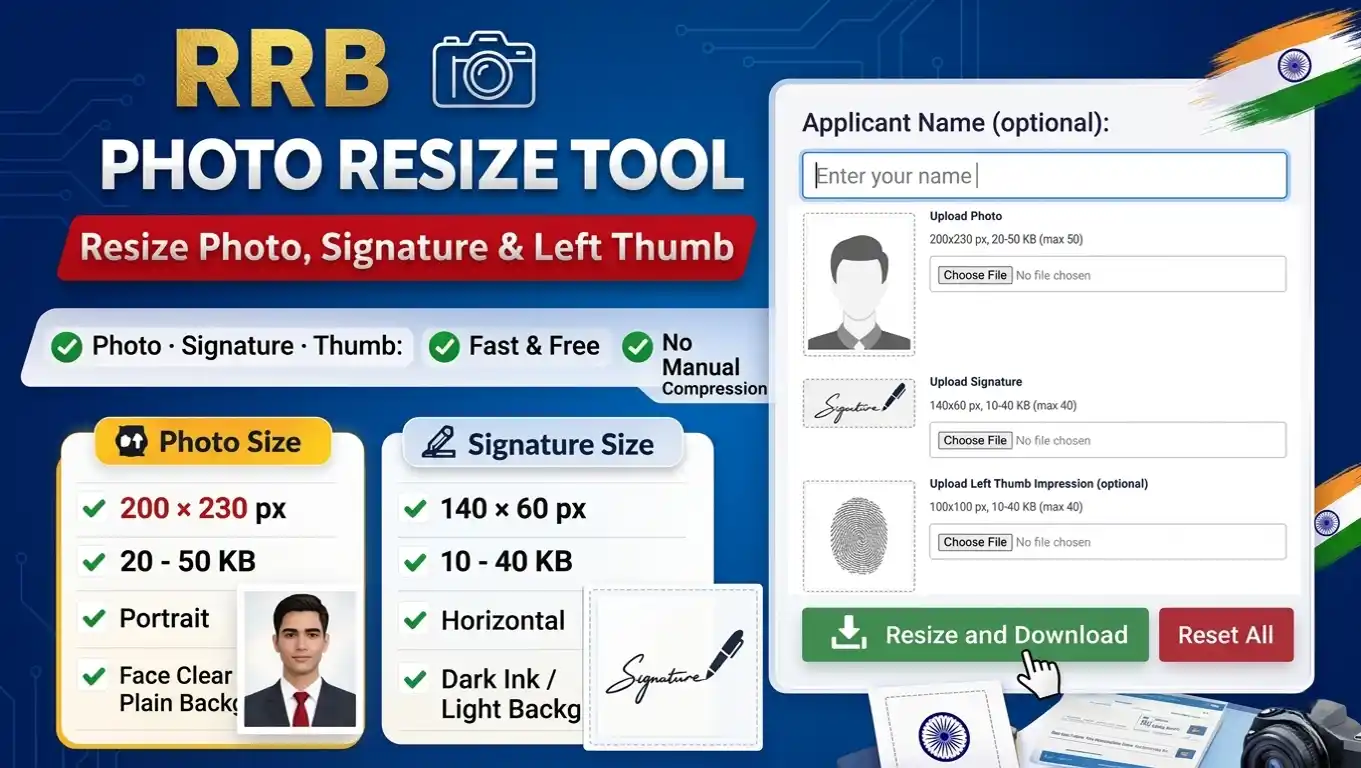
- Dimensions: 200 × 230 pixels
- File size: 20 KB to 50 KB (maximum 50 KB)
- Orientation: Portrait
- Background: Light and plain
- Clarity: Face clearly visible
Using the RRB photo resize tool automatically adjusts the photo to the correct size without manual editing or trial-and-error.
📄 You can refer to the official RRB notice for photo and signature guidelines (PDF) for complete specifications.
What Is the Official RRB Signature Size for RRB Applications?
Along with the photo, candidates must upload a signature image that follows official RRB signature size guidelines.
- Dimensions: 140 × 60 pixels
- File size: 10 KB to 40 KB (maximum 40 KB)
- Orientation: Horizontal
- Signature color: Dark ink on light background
Our RRB photo resize tool resizes the signature accurately while keeping it sharp and readable.
Left Thumb Impression Requirements (Optional)
Some RRB applications require a left thumb impression, while others mark it as optional. When required, the image must also follow strict specifications.
- Dimensions: 100 × 100 pixels
- File size: 10 KB to 40 KB (maximum 40 KB)
- Clarity: Clear fingerprint pattern
- Background: Light
The RRB photo resize tool prepares the thumb impression image accurately without losing clarity.
What Is the Correct Process for RRB Photo Upload?
Many candidates try resizing images using random apps or basic editors, which makes the upload process confusing. A dedicated RRB photo resize tool simplifies everything.
Step-by-Step RRB Image Upload Process
- Open the RRB photo Resizer tool
- Upload your RRB photo
- Upload your signature
- (Optional) Upload left thumb impression
- Preview all images instantly
- Click Resize and Download
The tool automatically:
- Adjusts dimensions for all images
- Maintains file size within limits
- Preserves image clarity
- Generates ready-to-upload files
No manual compression. No technical adjustments.
Other useful tools
- CCC Photo Resizer – Resize Photo Now
- PAN Photo Resizer – Fix Photo Instantly
- Passport Photo Resizer – Resize Online
- KB Resizer – Free Tool
Why Is Our RRB Photo Resize Tool the Best Choice for RRB Image Preparation?
Generic image resizers are not designed for RRB-specific rules. Our RRB photo resize tool is built specifically for RRB application image requirements.
Key Advantages
- Supports Photo, Signature & Thumb Impression – All required RRB images prepared in one tool.
- No Complicated Compression – Dimensions and file size are handled automatically.
- RRB-Specific Design – Focused only on RRB guidelines.
- Beginner-Friendly Interface – Easy to use even for first-time candidates.
- Client-Side Processing – Images stay in your browser and are never uploaded to any server.
- Fast & Free – Instant results with no registration.
If you are looking for a reliable and accurate RRB photo resize solution, this tool is purpose-built to deliver correct output every time.
Preparing images for an RRB application should not be stressful, yet many candidates waste time resizing and compressing photos using multiple tools.
A dedicated RRB photo resize tool removes this complexity completely by preparing your photo, signature, and thumb impression exactly as required. With correct dimensions and ready-to-upload output, you can complete your RRB form confidently and smoothly.