
Passport Size Photo Maker Online – Create Passport Size Photos Free
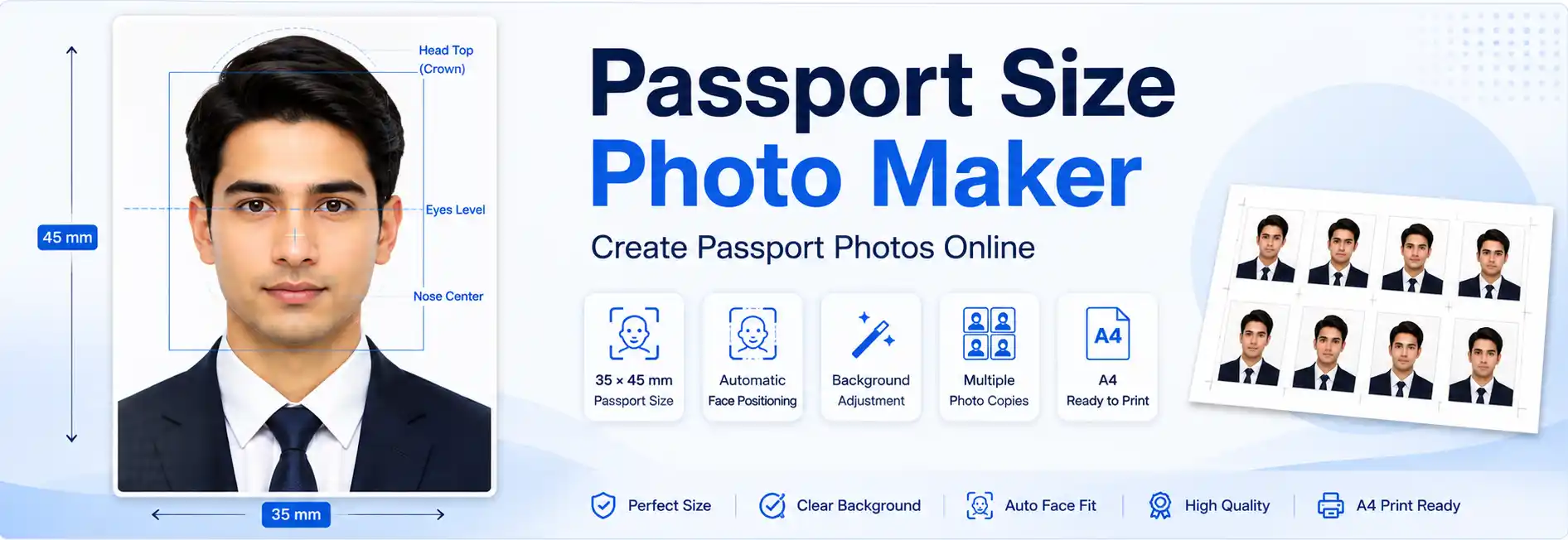
Passport Size Photo Maker is a simple online tool that helps you create passport-size photos directly in your browser. Upload your photo, select the required size, use AI Auto Fit to assist with face positioning, adjust the background, and download or prepare your photos for printing.
Whether you need a 35×45 mm passport photo, a 2×2 inch photo, an Indian passport-size photograph, or another supported format, this tool helps you prepare your image without complicated photo-editing software.
What Is a Passport Size Photo Maker?
A passport size photo maker is an online photo editor that helps you resize, crop, position, and prepare a photograph according to a required photo format.
Instead of using professional image-editing software, you can complete the main photo preparation steps directly in your browser.
Depending on the selected format, the tool can help you:
- Upload a JPG, PNG, or WEBP photograph
- Select the required photo dimensions
- Crop and resize the image
- Position and scale the face
- Adjust the photo background
- Use AI Auto Fit for easier positioning
- Preview the final photograph
- Create multiple photo copies
- Prepare an A4 print layout
The final photograph should always be checked against the current requirements of the authority, organization, passport, visa, or application for which it is intended.
AI Passport Photo Maker Features
This online passport photo maker combines AI-assisted positioning with manual editing options to simplify photo preparation.
AI Auto Fit
The AI Auto Fit feature detects the face and assists with positioning and scaling it inside the selected photo template.
It can help with:
- Face detection
- Face positioning
- Head-size adjustment
- Eye alignment
- Top-margin positioning
- Automatic cropping
- Image scaling
- Maintaining the selected photo ratio
AI Auto Fit is designed to make the initial adjustment easier and faster. Always review the final photograph manually before using it for an application.
Auto Background Remover for Pro Passport Photos
The editor includes a background remover that helps you cut out the existing background and create a clean, professional look for your passport photo. Choose a suitable background option for your needs and check the result carefully.
A clean background alone does not guarantee acceptance, as passport applications may have additional requirements for lighting, facial position, expression, and image quality. For best results, review the final photo before downloading.
How to Make a Passport Size Photo Online
You can create a passport-size photo in a few simple steps:
- Upload your photograph. Use a clear, recent and front-facing photograph with suitable lighting.
- Select the required photo size. Choose the dimensions specified by your passport, visa, ID, or other application.
- Use AI Auto Fit. The tool detects the face and assists with positioning, scaling and cropping.
- Adjust the background. Use the available background options when your application requires a specific background.
- Review the result. Check the face position, head size, eye alignment, top margin, shoulders, background and dimensions.
- Download or prepare for printing. Download the finished image or arrange multiple copies using the A4 print layout.
The automatic adjustment is intended to assist with photo preparation. It does not guarantee that the finished image will satisfy every official requirement.
35×45 mm Passport Size Photo
35×45 mm is a commonly used photo format for various passport, visa, and identification applications.
If your application requires a 35×45 mm photograph:
- Select the 35×45 mm photo format.
- Upload a clear front-facing photograph.
- Use AI Auto Fit to assist with face positioning.
- Check the head and face placement.
- Verify the background and image quality.
- Review the final dimensions before downloading.
The 35×45 mm format is not a universal requirement. Always confirm the exact photo specifications for your particular application.
Indian Passport Size Photo
You can use this passport size photo maker to prepare photographs for Indian passport-related applications when the selected dimensions and other conditions match the requirements of your application.
Before submitting an Indian passport photograph, check the latest official instructions for:
- Photo dimensions
- Background requirements
- Face and head position
- Facial expression
- Image quality
- File format and file size
For official requirements, always verify the latest information from Passport Seva before submitting your photograph.
2×2 Inch Passport Photo
Some passport and visa applications require a 2×2 inch photo.
If your application specifies this format, select 2×2 inches and use the editor to position, crop, and prepare your photograph.
The 2×2 inch format is commonly associated with certain US passport and visa applications. Requirements can vary, so always follow the current instructions for the particular application.
Common Passport Photo Sizes
There is no single photo size that applies to every passport, visa, or identification application.
| Photo Size | Typical Use |
|---|---|
| 35 × 45 mm | Various passport, visa and ID applications |
| 2 × 2 inches | Common US-style passport and visa format |
| Custom dimensions | Specific application requirements |
Always use the exact dimensions specified by the organization or government authority requesting the photograph.
What Should You Check Before Submission?
Correct dimensions are only one part of preparing a suitable passport photograph.
Before submitting your photo, check:
- Dimensions: Confirm the required width and height.
- Face position: Make sure the face is correctly positioned.
- Head size: Check that the head is within the required area.
- Background: Follow the specified background requirement.
- Expression: Follow the application's facial-expression rules.
- Lighting: Avoid strong shadows and uneven lighting.
- Image quality: Use a sharp and clear photograph.
- File requirements: Check the required format and maximum file size.
For better results, start with a recent, front-facing photograph taken with even lighting and a clear view of the face. Avoid excessive filters or effects that significantly change your appearance.
Print Multiple Passport Photos on A4
If you need physical copies, the tool can help arrange multiple passport photographs on an A4 print layout.
The basic process is:
- Prepare your photograph.
- Select the required photo dimensions.
- Review the final image.
- Arrange multiple copies on the A4 layout.
- Check spacing and positioning.
- Print the sheet.
When printing, check your printer settings carefully. Avoid “Fit to Page” or automatic scaling if it changes the intended physical dimensions of the photograph.
Common Passport Photo Mistakes
Avoid these common problems when preparing your photograph:
- Wrong photo dimensions
- Incorrect background
- Poor face positioning
- Incorrect head size
- Strong shadows
- Blurry or low-quality images
- Excessive filters or editing
- Incorrect printer scaling
AI Auto Fit can assist with positioning, but the final photograph should always be reviewed before downloading, printing, or submitting it.
🔒 Passport Size Photo Maker Online – Free and Easy
A browser-based passport size photo maker can simplify photo preparation without requiring professional image-editing software.
Upload → Select Size → AI Auto Fit → Adjust → Review → Download
You can use the tool to prepare photographs for passport, visa, ID, and other applications that require specific photo dimensions.
For other image requirements, you can also use our Photo Resizer and Image DPI Checker.
Always verify the current requirements of the relevant authority before submitting your photograph.
Frequently Asked Questions
A Passport Size Photo Maker is an online tool that helps you crop, resize, position, and prepare photographs according to selected passport, visa, or ID photo dimensions.
Yes. You can upload your photograph, select a supported photo size, use the available editing features, review the result, and download the finished photograph.
Yes. Select the 35×45 mm format when it is required by your application and use the editor to prepare the photograph.
Yes. You can prepare a 2×2 inch photograph when this format is specifically required by your application.
AI Auto Fit can detect the face and assist with positioning, scaling, eye alignment, and cropping. Always review the final photograph before using it.
Yes. The editor provides background adjustment options. Choose the appropriate option according to your application's requirements.
Yes. The browser-based editor is designed to work on supported mobile devices as well as desktop computers.
Yes. Multiple copies can be arranged using the A4 print layout and printed on an A4 sheet.
No. Correct dimensions alone do not guarantee acceptance. Applications may also specify requirements for background, facial position, expression, lighting, image quality, and file size.
Create Your Passport Size Photo Online
Prepare your photograph in a few simple steps using our passport size photo maker. Upload your image, select the required format, use AI Auto Fit to assist with positioning, adjust the background, review the result, and download or prepare it for printing.
Why use this tool?
✓ AI-assisted positioning · ✓ Multiple photo sizes · ✓ Background adjustment · ✓ A4 print layout · ✓ Browser-based editing · ✓ Free to use
Upload your photo → Select the required size → Auto Fit → Review → Download