
Upload Photograph
Required
Upload Signature
Required
SSC Photo Resizer – Resize SSC Photo & Signature Online Free
An SSC Photo Resizer is an essential online tool for candidates applying for SSC exams. Whether you are filling forms for CGL, CHSL, MTS, or GD, uploading the correct photo and signature size is mandatory. Our ssc photo resizer helps you resize SSC photo and signature online instantly without losing quality.
Many candidates face rejection due to incorrect image size or format. With this ssc photo resize tool, you can easily adjust your image as per SSC guidelines and download it in seconds. It is fast, free, and works perfectly on mobile and desktop.
What is SSC Photo Resizer?
An ssc photo resizer is an online tool that allows you to resize SSC photo and signature according to official requirements. It works as a ssc photo size converter and ssc photo and signature size converter, ensuring your images meet exact size, dimension, and format criteria.
Instead of using complicated software, this tool automatically adjusts file size, resolution, and dimensions for SSC form submission.
SSC Photo & Signature Size Requirements – Handled Automatically
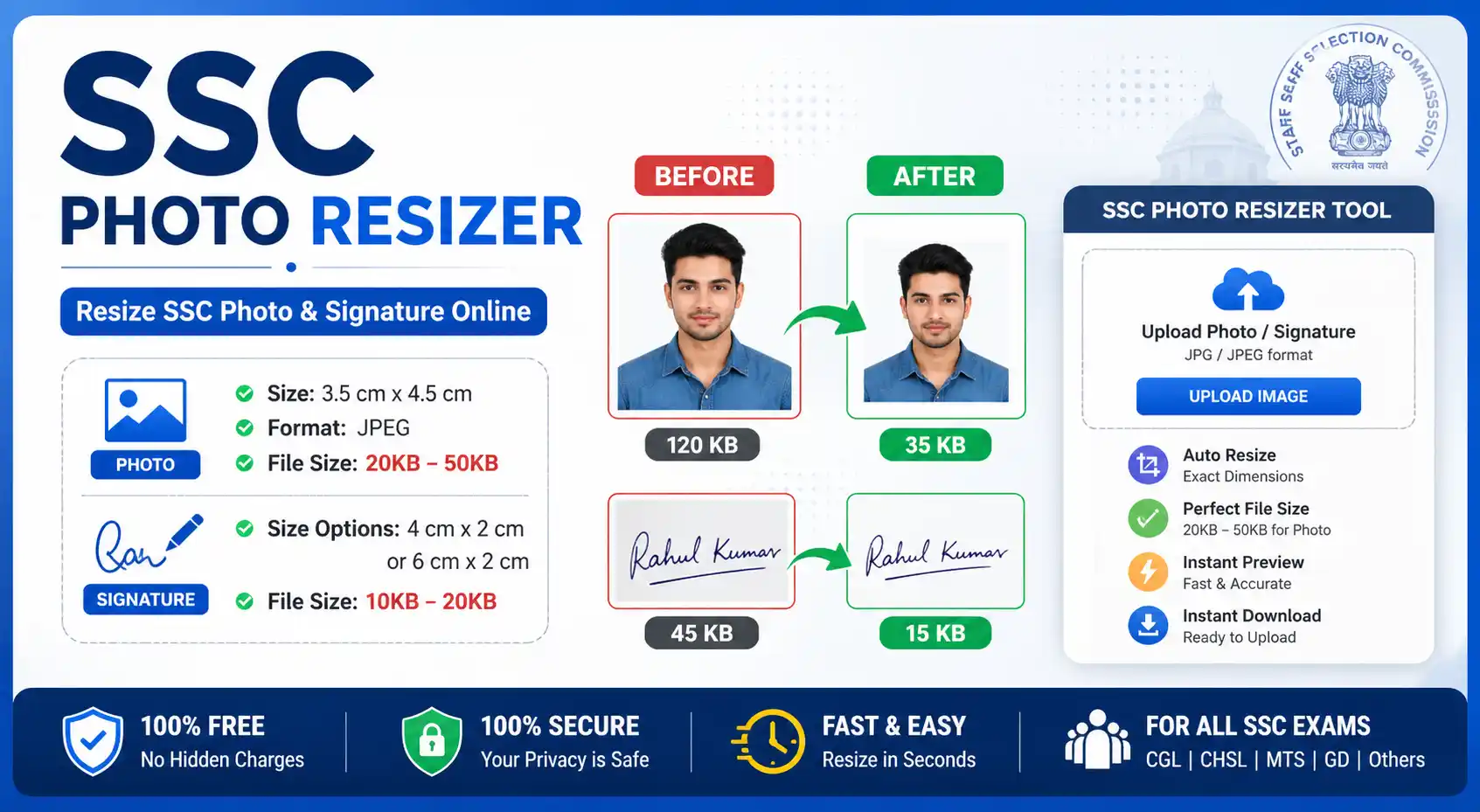
According to official SSC guidelines, your image must meet specific size and format rules. Our ssc photo resizer is designed to automatically adjust your image as per these exact requirements, so you don't have to worry about manual settings.
| Image Type | Dimensions (cm) | File Size | Format |
|---|---|---|---|
| Photo | 3.5 cm × 4.5 cm | 20 KB – 50 KB | JPG/JPEG |
| Signature (4 cm × 2 cm) – Option 1 | 4 cm × 2 cm | 10 KB – 20 KB | JPG/JPEG |
| Signature (6 cm × 2 cm) – Option 2 | 6 cm × 2 cm | 10 KB – 20 KB | JPG/JPEG |
👉 With this SSC Photo Resize Tool, you can easily resize SSC photo online and get a perfectly formatted image ready for upload. Just upload your photo and click the resize button — everything is handled automatically. Simply upload your signature and let the tool adjust the size and dimensions automatically. No need for any separate signature resize tool.
📄 All specifications are based on the official SSC application guidelines. For complete details, visit the SSC official website.
🌟 Features of Our SSC Photo Resize Tool
- Resize SSC photo and signature online free
- Accurate file size control (KB-based resizing)
- High-quality compression without losing clarity
- Instant preview before download
- Works on mobile, tablet, and desktop
- No login or software required
This tool also works as a ssc photo compressor and ssc photo editor, making it a complete solution.
📋 How to Use SSC Photo Resize Tool?
- Upload your photo or signature
- Set required size or dimensions
- Click on resize button
- Preview the resized image
- Download instantly
With this resize SSC photo online process, you can complete everything in seconds.
🏆 Why Use SSC Photo Resizer?
- Avoid SSC form rejection
- Get exact required image size
- Save time and effort
- No technical skills needed
- Free and fast processing
If you want to reduce image size for SSC, this tool is the best solution.
💡 Tips for Best SSC Photo Upload
- Use a clear and recent photo
- Keep a plain/light background
- Avoid blur and shadows
- Ensure proper face visibility
- Upload in JPG/JPEG format
These tips help ensure your image is accepted without issues.
📄 Supported SSC Exams
- SSC CGL
- SSC CHSL
- SSC MTS
- SSC GD
- SSC Selection Post
Each exam may have slight variations in ssc photo size, but this tool adjusts accordingly.
🔒 Safe and Secure Tool
This SSC Photo Resizer works completely in your browser. No images are uploaded or stored, ensuring full privacy and security.
Frequently Asked Questions (FAQs)
An ssc photo resizer is an online tool used to resize SSC photo and signature according to official size and format requirements.
You can use a photo and signature resize online tool by uploading your image, setting size, and downloading the resized file instantly.
The ssc photo size should be between 20KB to 50KB, while the signature size should be 10KB to 20KB.
Yes, using a good ssc photo compressor, you can reduce file size while maintaining image clarity.
You can use a signature resize tool to adjust signature size as per SSC guidelines.
SSC requires images in JPG/JPEG format.
Ready to Prepare Your SSC Application Images?
The SSC Photo Resizer is a must-have tool for every SSC applicant. It simplifies the process of resizing images, ensures compliance with SSC guidelines, and helps avoid rejection. Whether you need to resize photo, compress image, or adjust signature, this tool provides everything in one place.
Why users love this tool:
✓ Instant resizing · ✓ No quality loss · ✓ 100% browser-based · ✓ No uploads · ✓ Completely free
Resize your SSC photo and signature online free and complete your application with confidence. No registration, no watermarks, no hidden fees — just a simple, reliable tool that works every time.