
Image Size Calculator
Check image dimensions, file size, aspect ratio, megapixels, DPI and print size instantly.
🔒 Your image stays in your browser. No upload required.
Upload an image
Drop your image here
or
Choose ImageJPG · PNG · WebP • processed locally, never uploaded
Image Information
Your image is processed locally in your browser and is not uploaded to our server.
How Large Can I Print This Image?
Print size is calculated as pixels ÷ DPI. Higher DPI means a smaller but sharper print.
| DPI | Print width | Print height | Size (cm) |
|---|
Pixels ↔ Print Size Calculator
Convert between pixels and physical print size. Works with or without an uploaded image.
Standard Print Size Presets
Select a print size to see the pixel dimensions you need at your chosen DPI.
Print Quality Check
Aspect Ratio Calculator
Find the simplified aspect ratio of any width and height.
Common aspect ratios
Megapixel Calculator
Megapixels = width × height ÷ 1,000,000.
What Is an Image Size Calculator?
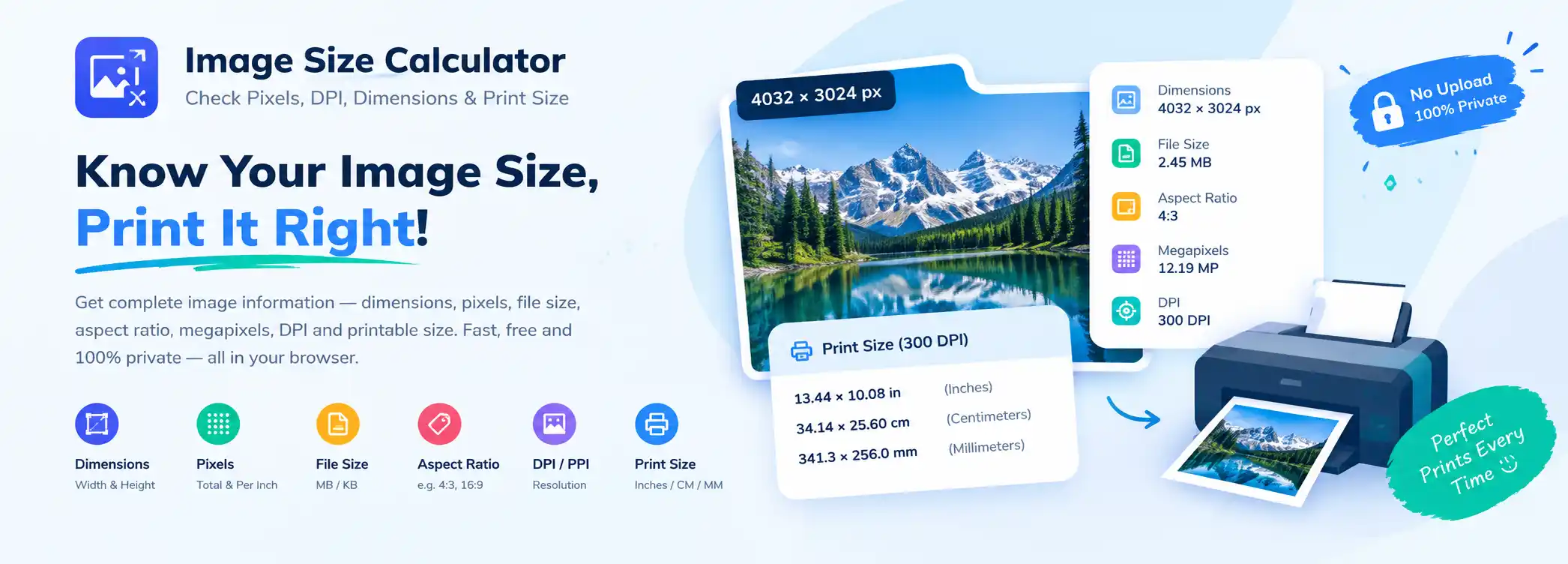
An image size calculator is a tool that tells you how large a digital image is — both in pixels and in physical print dimensions. It converts between pixel dimensions, print size (inches, centimetres and millimetres), resolution (DPI/PPI), aspect ratio and megapixels.
These values describe different things, and mixing them up causes most print and upload problems:
- Pixel dimensions — the number of pixels across and down, for example 4032 × 3024 px.
- Resolution / DPI — how densely those pixels are packed when printed.
- File size — how much storage the file takes, for example 2.45 MB.
- Aspect ratio — the shape of the image, for example 4:3 or 16:9.
- Megapixels — the total pixel count in millions.
This image dimensions calculator reads your file directly in the browser, so nothing is uploaded and nothing is stored.
How to Calculate Image Size in Pixels
Pixel dimensions are simply the width multiplied by the height in pixels. An image that is 4032 pixels wide and 3024 pixels tall is written as 4032 × 3024 px. It contains 12,192,768 pixels, which is about 12.19 megapixels.
The pixel count alone does not tell you how large the image will print — you also need the DPI.
How to Calculate Print Size From Pixels
The formula is straightforward:
print size (inches) = pixels ÷ DPI
For example, 4032 × 3024 px at 300 DPI gives 4032 ÷ 300 = 13.44 inches and 3024 ÷ 300 = 10.08 inches, so the print size is 13.44 × 10.08 inches.
To convert inches to centimetres, multiply by 2.54. To convert to millimetres, multiply by 25.4.
Pixels to Inches
Divide the pixel value by the DPI:
- 3000 px ÷ 300 DPI = 10 inches
- 2400 px ÷ 300 DPI = 8 inches
- 1200 px ÷ 300 DPI = 4 inches
- 3000 px ÷ 150 DPI = 20 inches
The same pixel count prints smaller at a higher DPI and larger at a lower DPI.
Inches to Pixels
Multiply the physical size by the DPI:
- 8 in × 300 DPI = 2400 px
- 10 in × 300 DPI = 3000 px
- 4 in × 300 DPI = 1200 px
- 8 in × 150 DPI = 1200 px
So an 8 × 10 inch print at 300 DPI needs an image of 2400 × 3000 pixels.
What Is DPI?
DPI stands for dots per inch and describes how many printed dots fit into one inch. PPI (pixels per inch) describes how many image pixels fit into one inch. In everyday photo workflows the two terms are used interchangeably, and this image DPI calculator uses them the same way. For a deeper technical definition, see the Wikipedia article on dots per inch.
An important point: DPI is a property of the output, not of the pixels themselves. A JPEG can carry a DPI value in its metadata, but that value does not add or remove detail — it only records the density the file was tagged with.
This tool shows the DPI that is actually stored in your file's metadata. If your file has no DPI metadata, it reports “Not available in file metadata” rather than guessing.
How Many Pixels Do I Need for Printing?
Multiply the print dimensions by the DPI you want:
required pixels = print size (inches) × DPI
A 300 DPI target is the usual standard for photo prints. For large-format prints viewed from a distance, 150 DPI is often perfectly acceptable, and 200 DPI is a common middle ground.
Common Photo Print Sizes
| Print size | Pixels @ 300 DPI | Pixels @ 150 DPI |
|---|---|---|
| 4 × 6 in | 1200 × 1800 px | 600 × 900 px |
| 5 × 7 in | 1500 × 2100 px | 750 × 1050 px |
| 8 × 10 in | 2400 × 3000 px | 1200 × 1500 px |
| 8.5 × 11 in | 2550 × 3300 px | 1275 × 1650 px |
| 11 × 14 in | 3300 × 4200 px | 1650 × 2100 px |
| 16 × 20 in | 4800 × 6000 px | 2400 × 3000 px |
| 20 × 30 in | 6000 × 9000 px | 3000 × 4500 px |
Image Dimensions vs File Size
These two numbers are often confused, but they measure completely different things:
- 4032 × 3024 pixels is the image resolution / dimensions — the amount of detail captured.
- 2.5 MB is the file size — how much space the file takes on disk.
A large image can have a small file size if it is heavily compressed, and a small image can have a large file size if it is stored uncompressed. Changing dimensions affects file size, but they are not the same measurement.
Frequently Asked Questions
How do I calculate the print size of an image?
Divide the pixel width and height by the DPI. For example, 3000 × 2400 px at 300 DPI prints at 10 × 8 inches.
How many pixels is 8 × 10 inches at 300 DPI?
2400 × 3000 pixels. Multiply each side by 300: 8 × 300 = 2400 and 10 × 300 = 3000.
What is 300 DPI in pixels?
DPI is a density, not a pixel count. 300 DPI means 300 pixels per inch, so a 1 × 1 inch print at 300 DPI needs 300 × 300 pixels.
Is 1920 × 1080 enough for printing?
At 300 DPI it prints at about 6.4 × 3.6 inches. For a larger print, a lower DPI such as 150 would be needed, which gives roughly 12.8 × 7.2 inches.
Does my image have a DPI value?
Some files store DPI in their metadata (JFIF, EXIF or PNG pHYs chunks). Many do not. This tool reads the real metadata and shows “Not available in file metadata” if none exists.
Why does the tool say my resolution is sufficient but cropping is required?
Because resolution and aspect ratio are separate things. A 4032 × 3024 image has plenty of pixels for an 8 × 10 inch print, but its 4:3 shape differs from the 4:5 shape of the print, so some cropping is needed.
How many megapixels is 4032 × 3024?
4032 × 3024 = 12,192,768 pixels, which is about 12.19 megapixels.
Is this image size calculator free and private?
Yes. All calculations run locally in your browser. Your image is never uploaded to a server.