
TNPSC Photo Compressor – Resize and Compress Your Photo Online
The TNPSC photo compressor helps candidates resize and compress their photographs to meet the image requirements for Tamil Nadu Public Service Commission (TNPSC) applications. You can prepare your photo, add your name and date of photography, convert it to JPG format, and reduce its file size to the required range before uploading it to the application portal.
TNPSC applications require candidates to follow specific photo and signature instructions. An image with incorrect dimensions, an unsuitable background, an unreadable name, or an invalid file size may cause problems during application submission.
Our free online tool makes it easier to prepare your photograph and signature in one place. You can upload an image, adjust its position, check the output settings, and download the processed file directly to your device.
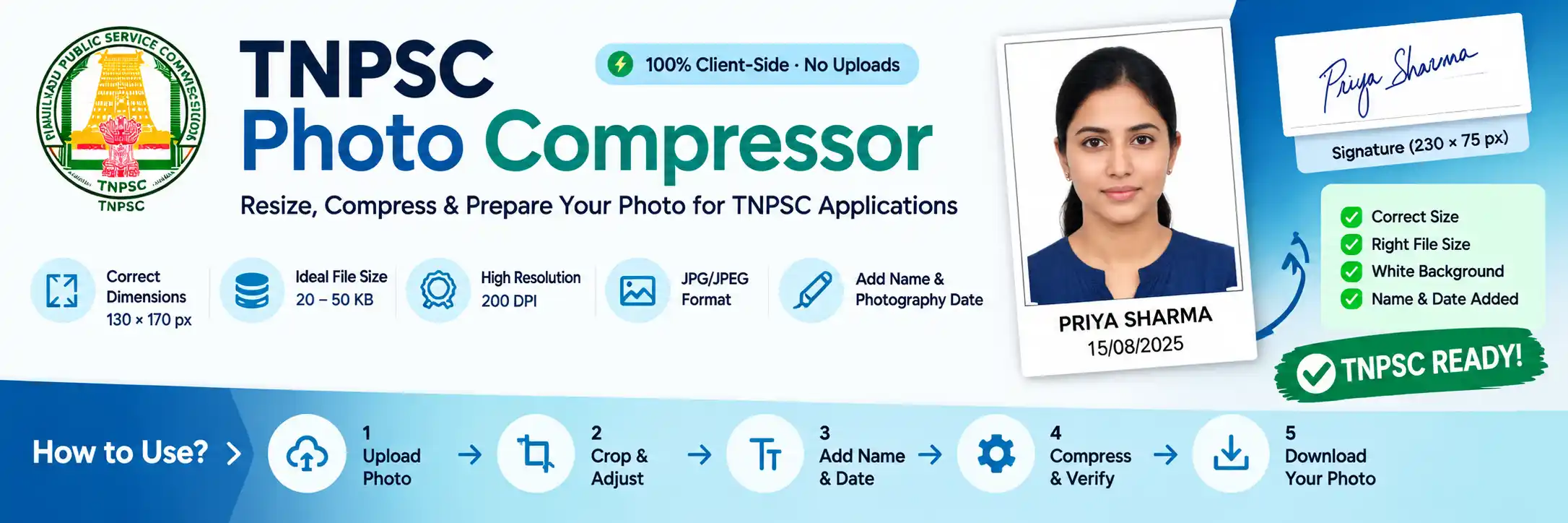
TNPSC Photo Size and Specifications
Before preparing your photograph, check the image requirements mentioned in the relevant TNPSC recruitment notification. The official TNPSC instructions specify the following photograph requirements for the applicable recruitment processes. A reliable TNPSC photo compressor helps you meet these exact specifications without guesswork.
| Photo requirement | Specification |
|---|---|
| Image width | 130 pixels |
| Image height | 170 pixels |
| Physical dimensions | 3.5 × 4.5 cm |
| File size | 20–50 KB |
| Resolution | 200 DPI |
| File format | JPG/JPEG |
| Background | White |
| Name and date | Printed at the bottom |
| File name | Photograph.jpg |
According to the official instructions, the candidate's photograph occupies approximately 115 pixels of the total 170-pixel height. The remaining 55 pixels are reserved for the candidate's name and date of photography.
The photograph should be in colour, show the candidate facing forward, and clearly display both ears and part of the neck. TNPSC also advises candidates to use an appropriate studio photograph rather than a selfie, photocopy, or unsuitable background image.
📄 You can verify these instructions in the official TNPSC Instructions to Applicants.
Important: Always check the notification for the particular examination you are applying for. Do not assume that every recruitment uses identical requirements.
How to Use the TNPSC Photo Compressor
Follow these steps to prepare your photograph for an online application.
Step-by-Step Guide
-
Upload Your Photograph
Select a clear, recent colour photo with a plain white background from your device.
-
Crop and Adjust
Centre your face using the crop and zoom controls without stretching or distorting the image.
-
Add Name and Photography Date
Enter your name and the actual date the photograph was taken. Ensure both are readable in the bottom strip. Do not use your date of birth unless the specific notification requires it.
-
Set Output Requirements
Choose the following, where applicable:
- 130 × 170 pixels
- 200 DPI
- JPG / JPEG
- 20–50 KB
-
Compress and Check
Use the TNPSC photo compressor to compress the image and verify its dimensions, file size, format, and name/date strip before downloading.
-
Download Your Photo
Save the final image, for example as
Photograph.jpg, and check its clarity before submitting your application. Always follow the requirements in your specific TNPSC notification.
TNPSC Photo With Name and Date: What Should You Know?
Adding the candidate's name and date of photography is an important part of preparing the image.
The official instructions reserve a strip of approximately 1.5 cm, equivalent to 55 pixels of the total image height, for this information.
Keep the following points in mind:
- Enter your name accurately and follow the format requested by the application instructions.
- Enter the actual date on which the photograph was taken.
- Keep the name on the upper line and the photography date directly below it if your tool uses a two-line layout.
- Ensure that the text remains readable after resizing and compression.
- Keep both lines within the designated bottom strip without covering the face.
A correctly sized photograph can still be unsuitable if the required information is missing or unreadable. Always check the final preview rather than relying only on the dimensions and file size.
TNPSC Signature Size and Compression
Candidates may also need to prepare a digital signature for their application. The signature has separate requirements and should be processed independently of the photograph.
| Signature requirement | Specification |
|---|---|
| Width | 230 pixels |
| Height | 75 pixels |
| Physical dimensions | 6 × 2 cm |
| File size | 10–20 KB |
| Resolution | 200 DPI |
| Format | JPG/JPEG |
| Ink colour | Blue or black |
| File name | Signature.jpg |
The official instructions direct candidates to sign inside a 6 × 2 cm box on white paper using blue or black ink. The signature should then be scanned, cropped to the specified box, and saved within the required file-size range.
Use the Signature tab in the tool to prepare the image separately. Crop it carefully so that the signature remains complete and readable.
Avoid making the signature excessively small, cutting off any part of it, or changing its appearance during editing.
📄 You can check the official TNPSC examination instructions for the applicable photograph and signature requirements.
TNPSC Photo Background Requirements
The official instructions specify a white background for the applicable photograph requirements. A clean background also helps the candidate's face remain clearly visible.
When preparing your image, keep these recommendations in mind:
- Prefer a plain white background.
- Use a clear, front-facing colour photograph.
- Make sure both ears and part of the neck are visible.
- Avoid photographs taken against plants, buildings, or busy backgrounds.
- Do not use selfies, photocopies, or photographs from family functions or tourist locations where prohibited by the instructions.
- Avoid excessive retouching, filters, or edits that change your appearance.
If your photograph already has a suitable white background, keep it unchanged. If background editing is available in the tool, review the result carefully and ensure that the edited image still looks natural.
Changing the background colour merely to increase the file size is not recommended. File size should be adjusted through appropriate image processing, not by introducing an unsuitable background.
How to Reduce Photo Size to 20–50 KB
Sometimes a photograph is larger than the permitted limit. This can happen when the original image has high resolution, contains considerable detail, or uses a less efficient file format.
A TNPSC photo compressor works by encoding the image at a suitable JPEG quality level. The goal is to meet the required file-size range while keeping the photograph clear.
If your file is above 50 KB, reduce the JPEG quality gradually until the output falls within the accepted range. Avoid reducing quality more than necessary.
If the generated image is below 20 KB, increasing JPEG quality may help. However, a simple image can remain smaller than the minimum even at high quality. In that situation, the tool should use a technically valid file-generation method rather than changing the background, adding artificial noise, or distorting the image.
Always validate the actual downloaded file. A displayed target size is not enough to confirm that the image meets the requirement.
TNPSC Photo Requirements for Group 1, Group 2 and Group 4
Candidates applying for TNPSC Group 1, Group 2, Group 2A, Group 4, and other recruitment examinations should consult the instructions for their specific notification.
The general TNPSC applicant instructions provide photograph and signature specifications, but applicants should not assume that every recruitment, registration stage, or application portal has identical requirements.
Before uploading your files, verify:
- The required photograph dimensions and file-size range.
- Whether the name and date of photography must appear on the photograph.
- The date restrictions applicable to the photograph.
- The accepted file format and resolution.
- The signature dimensions and file-size limit.
🌐 For current recruitment details, visit the official TNPSC website.
Common TNPSC Photo Upload Problems and Their Solutions
📸 Photograph Is Larger Than 50 KB
Use JPEG compression to reduce the file size. Check the actual size of the downloaded file before uploading it.
📸 Photograph Is Smaller Than 20 KB
Try generating the JPEG at a higher quality setting. If the image remains below the minimum, use a reliable tool that can produce a valid JPEG within the required range without altering the visible photograph unnecessarily.
📐 Incorrect Image Dimensions
Resize the image to the dimensions specified in the relevant notification. For the requirements covered in this guide, the photograph is 130 × 170 pixels.
📝 Name or Photography Date Is Missing
Enter the required details and check the bottom strip in the final preview. Ensure that both lines are readable and not cropped.
🎨 Wrong Background
Use a suitable white background when required. Avoid backgrounds that distract from the face or conflict with the official instructions.
✍️ Signature Is Too Large
Use the signature-specific workflow to crop and compress the signature to the prescribed dimensions and file-size range.
🔍 Photograph Is Blurry
Start with a clear source image. Compression cannot restore facial details that are already missing from a blurred or low-quality photograph.
📁 Incorrect File Format
Convert the image to JPG/JPEG if required. Renaming a PNG file with a .jpg extension does not actually convert it to JPEG.
Frequently Asked Questions
The applicable TNPSC instructions specify a photograph measuring 130 × 170 pixels, equivalent to 3.5 × 4.5 cm. Confirm the requirements in your particular recruitment notification before uploading.
The official instructions referenced in this guide specify 20–50 KB for the photograph. The signature has a separate limit of 10–20 KB. Our TNPSC photo compressor helps you achieve this range precisely.
The applicable instructions specify 200 DPI. Check the final image's resolution metadata where supported, as pixel dimensions and DPI metadata are separate properties.
Yes, the referenced instructions require the candidate's name and the date of photography to be printed at the bottom. Follow the precise wording and date requirements of the relevant notification.
No, not where the instructions require the date on which the photograph was taken. A date of birth and a date of photography are different details.
JPG/JPEG is the format specified in the instructions covered here. Save the final photograph with the filename requested by the application, such as Photograph.jpg.
The referenced instructions specify 230 × 75 pixels, a file size of 10–20 KB, and 200 DPI. The signature should be prepared inside the specified box using blue or black ink.
If your photograph does not have a suitable background, an editing option may help. However, make sure the result remains natural and complies with the applicable TNPSC instructions.
A small image with a simple background can naturally produce a JPEG below 20 KB. Higher JPEG quality may increase its size. If that is insufficient, a properly implemented file-generation method can increase the file size without changing the visible pixels.
Do not assume that the same photograph will be suitable for every application. TNPSC instructions may specify when the photograph must have been taken, including requirements tied to the notification date. Check the current instructions for each application.
Prepare Your Photograph Before Submitting Your Application
Preparing the photograph and signature correctly can help prevent avoidable image-upload problems. Check the dimensions, file size, background, format, and required text before submitting your application.
The TNPSC photo compressor above lets you resize your photograph, compress it to the required range, add your name and date of photography, and prepare your signature — all in one place. Finally, review both downloaded files and compare them with the official instructions for your recruitment.
What this tool helps you do:
✓ 130 × 170 px photo · ✓ 20–50 KB compression · ✓ Name & date strip · ✓ 230 × 75 px signature · ✓ 200 DPI output