
Passport Size Photo Resizer
Photo Specifications
4.5 (H) × 3.5 (W) cm
200 DPI · 20‑50 KB
Signature Specifications
2 (H) × 4.5 (W) cm
200 DPI · 10‑50 KB
No Upload
Images never leave your device · 100% private
Passport Size Photo Resizer – Complete Guide to Photo & Signature Specifications
Passport size photo resizer requirements begin with understanding the exact specifications for image submission. Applying for a passport through the official portal requires precise image dimensions. Many applicants face rejection due to incorrect photo and signature measurements. Understanding the official guidelines helps you avoid unnecessary delays and resubmissions.
This comprehensive guide explains the exact centimeter dimensions, file size limits, and resolution needed for successful passport application. All specifications mentioned here are based on official guidelines issued by the Ministry of External Affairs, Government of India.
What Are the Official Passport Photo Dimensions?
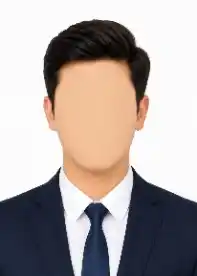
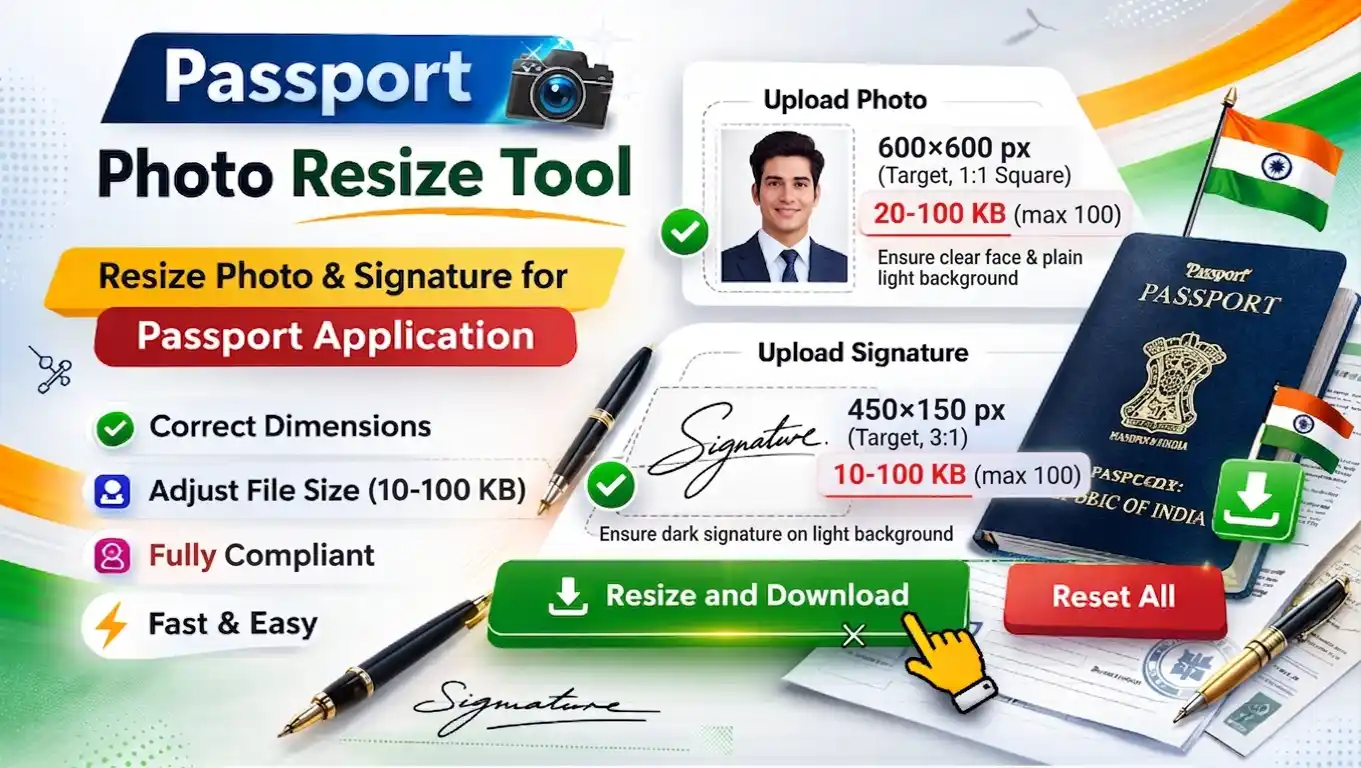
The official photo dimensions for passport application are 4.5 (Height) × 3.5 (Width) centimeters at 200 DPI. The file must be in JPEG format with size between 20KB and 50KB. The signature must measure 4.5 (Width) × 2 (Height) centimeters at 200 DPI, JPEG format, file size between 10KB and 50KB.
Many applicants upload images that appear correct visually but fail during validation due to incorrect centimeter dimensions, missing DPI metadata, or improper file size compression. Using a dedicated passport size photo resizer helps you get the exact specifications automatically.
Passport Photo and Signature Size Requirements
According to official passport guidelines, your application images must meet these precise specifications:
| Image Type | Dimensions (cm) Height × Width | File Size | Format | Resolution |
|---|---|---|---|---|
| 📷 Photograph | 4.5 (H) × 3.5 (W) cm | 20KB – 50KB | JPG/JPEG | 200 DPI |
| ✍️ Signature | 4.5 (W) × 2 (H) cm | 10KB – 50KB | JPG/JPEG | 200 DPI |
👉 Using proper image preparation methods ensures your files meet all these requirements. The photograph dimensions (4.5×3.5 cm) and signature dimensions (4.5×2 cm) must be exact; even small deviations can lead to automatic rejection during upload. A reliable passport size photo resizer tool eliminates this risk.
📄 All specifications are based on the official passport application guidelines. For complete details and the latest updates, visit the Passport Seva official website.
How to Prepare Images for Passport Application
Proper image preparation involves several steps. Follow this systematic approach to ensure your photo and signature meet passport specifications without errors.
- Capture or select a recent color photograph with plain white background
- Ensure the signature is on white paper with black or blue ink
- Check that both images are in JPEG format before processing
- Use the passport size photo resizer tool which automatically adjusts dimensions, DPI, and compression
- Preview the resized images before downloading
- Download ready‑to‑upload passport images instantly
After processing, your images will be optimized according to official passport standards, including proper resolution, file size, and quality settings required for successful submission.
⚡ Key Specifications Summary
- Photo: 4.5 (Height) × 3.5 (Width) cm at 200 DPI
- Signature: 4.5 (Width) × 2 (Height) cm at 200 DPI
- JPEG format only for both images
- Photo file size: 20KB to 50KB
- Signature file size: 10KB to 50KB
- White or light background for photograph
📄 Common Application Scenarios
- New passport application (fresh issue)
- Reissue of passport (renewal)
- Change of personal details (name, address)
- Lost or damaged passport replacement
- Additional booklet for frequent travellers
🏆 Why Following Passport Specifications Matters
Adhering to the official passport image guidelines directly impacts your application success rate. Incorrect image specifications are among the top reasons for application rejection and return.
- Automatic Validation – The passport portal performs automated checks on dimensions, DPI, and file size.
- No Manual Corrections – Rejected applications require resubmission with corrected images, causing delays.
- Standardized Process – Following guidelines ensures smooth processing through the central system.
- Time Efficiency – Correct images on first submission reduce overall processing time.
- Compliance Assurance – Meeting specifications guarantees compatibility with government systems.
If you need to prepare images for passport application, understanding these technical requirements is the first step toward successful submission. A trusted passport size photo resizer simplifies this process significantly.
🔒 Understanding Browser‑Based Image Processing
Modern image preparation can be done entirely within your web browser using client‑side technologies. This means your photographs and signatures never leave your device during the resizing and compression process. All processing happens locally, ensuring complete privacy and security for your personal documents. Whether you are using an online tool for passport photos, signatures, or other government applications, browser‑based processing helps keep your sensitive files safe from third‑party access. It also provides faster performance because images are resized directly on your device without uploading them to external servers. This secure and efficient method is ideal for users who need quick image resizing while maintaining full control over their files and personal information.
Frequently Asked Questions – Passport Size Photo Resizer Specifications
No, you can use the passport size photo resizer tool directly in your browser without installing any software.
Both photo and signature should be in JPG/JPEG format. The tool outputs JPEG files.
Rejection often occurs due to missing DPI metadata, incorrect embedded resolution, or file size being outside the allowed range. The portal validates technical metadata, not just visual appearance.
Yes. The passport size photo resizer works on any smartphone browser. Just upload your images, and the tool resizes them to the official 4.5×3.5 cm (photo) and 4.5×2 cm (signature) at 200 DPI.
When using a tool that processes images locally in your browser (client‑side only), your files never get uploaded to any server. Always verify that the tool processes images on your device before uploading personal documents.
Ready to Submit Your Passport Application?
Preparing images for a passport application requires attention to specific technical details. The photograph must be exactly 4.5 cm in height by 3.5 cm in width at 200 DPI, while the signature requires 4.5 cm width by 2 cm height at the same resolution. Both files must be in JPEG format with appropriate file sizes. Using a reliable passport size photo resizer ensures your images meet all these specifications automatically.
Key takeaways for successful submission:
✓ Exact centimeter dimensions · ✓ 200 DPI resolution · ✓ Proper file size limits · ✓ JPEG format only · ✓ Clear, recognizable images
Understanding these official passport image specifications helps you prepare correct files for first‑time approval. Correctly formatted images reduce processing delays and prevent unnecessary resubmissions.