
🔁 What is a Text Repeater?
A Text Repeater is a free online tool that lets users repeat text, words, sentences, numbers, symbols, or emojis multiple times instantly. It helps generate repeated text with custom separators such as spaces, commas, dashes, and new lines.
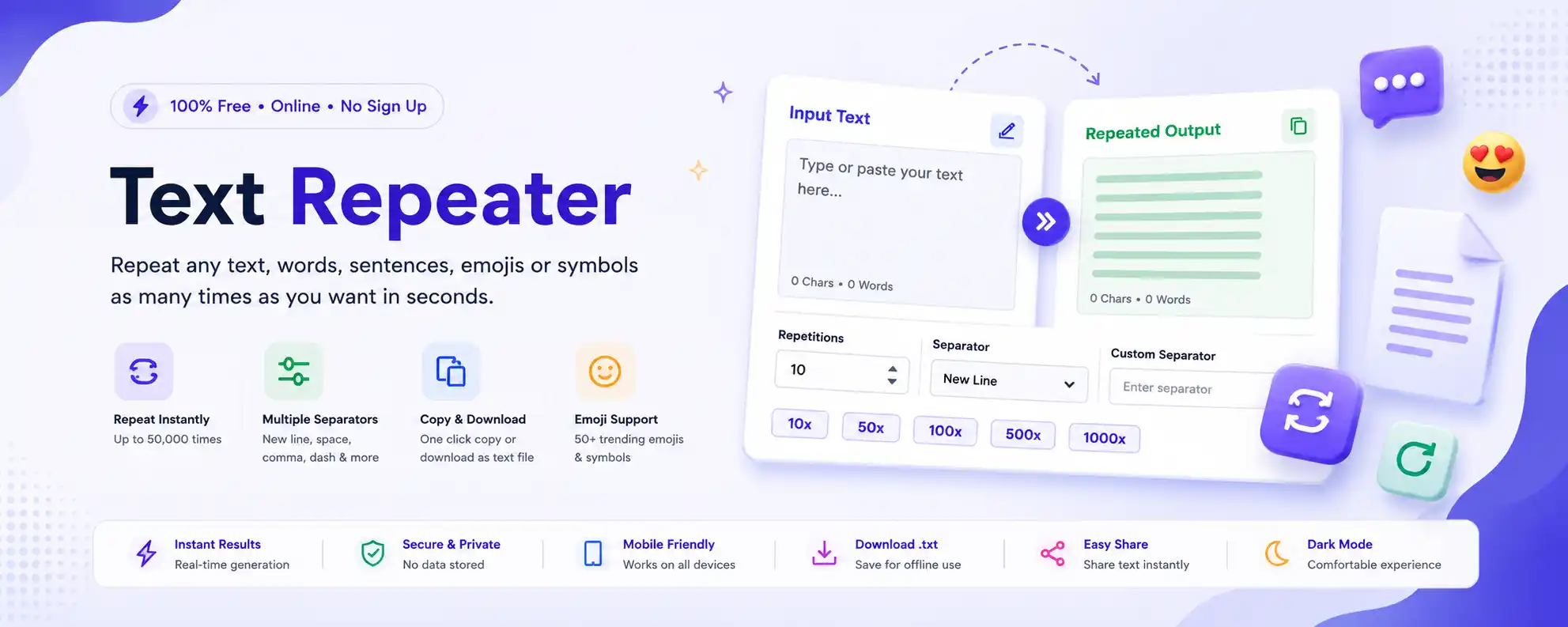
A Text Repeater is an essential online text repetition tool designed to save you time and effort when you need to duplicate text multiple times. Whether you're a student preparing study notes, a social media creator crafting engaging posts, or a developer testing applications, a text duplicator can be your best friend. Our Text Repeater Online tool allows you to repeat text online instantly, with support for up to 50,000 repetitions and custom separators like spaces, commas, new lines, or dashes. To learn more about text processing fundamentals, check out Wikipedia's comprehensive guide to text processing.
Unlike manual copy-pasting which is tedious and error-prone, a repeat words tool like ours ensures perfect text duplication every single time. You can copy text multiple times with just a few clicks and even insert trending emojis directly from our built-in picker. The unlimited text repeater functionality means you can generate thousands of repeated words and repeated sentences in milliseconds, not minutes. This online utility tool is perfect for anyone who needs to repeat messages or repeat emojis for social media, testing, or content creation.
Our repeat text generator is completely free, works entirely in your browser, and respects your privacy — no data is ever stored or transmitted to our servers. With real-time updates, dark mode support, and one-click copy/download/share features, it's the most comprehensive word repeater and emoji repeater tool available online.
📘 How to Use the Text Repeater Tool?
Step 1: Enter any text in the Input Text area — you can type manually, paste content, or select an emoji from the compact dropdown menu.
Step 2: Choose the number of repetitions using the number input field (1 to 50,000) or click one of the quick-repeat buttons (10x, 50x, 100x, 500x, 1000x). You can repeat text 1000 times instantly with just one click.
Step 3: Select a separator from the options: New Line, Space, Comma, Dash, or enter your own custom separator (like "|" or "~"). This lets you repeat text with commas, repeat text with spaces, or any custom format you need.
Step 4: Watch the output appear instantly in the right panel — no page reload needed, real-time text generation.
Step 5: Use the action buttons to copy text multiple times to clipboard, Download as TXT file, Share via Web Share API, or Auto Select the output text. You can also use our complementary Word Counter to analyze your text or the Character Counter for precise length measurement.
Pro Tip: Press Ctrl + Enter (or Cmd + Enter on Mac) to quickly copy the output! For more keyboard shortcuts, visit Microsoft's official keyboard shortcuts guide.
✨ Features of Our Text Repeater Tool
✅ Unlimited Text Repeater - Up to 50,000 repetitions
✅ Smart separators - Space, comma, dash, new line, or custom
✅ Real-time generation - Output updates as you type
✅ One-click copy - Copy text multiple times to clipboard instantly
✅ Download as TXT file - Save your repeated text offline
✅ Web Share API support - Share directly to messaging apps
✅ Live character & word counts - Track input and output size
✅ Dark/Light mode toggle - Comfortable viewing day or night
✅ Emoji Repeater - 60+ trending emojis including flags
✅ Mobile-responsive - Works on all devices
✅ Keyboard shortcut - Ctrl+Enter for instant copy
✅ Zero data storage - 100% privacy focused
✅ No registration or login - Use instantly, completely free
📋 Text Repeater Examples
See how our Text Repeater Online tool works with these practical examples. You can try any of these patterns instantly:
📝 Word Repetition
Input: "Hello"
Repetitions: 5, Separator: Space
Output: "Hello Hello Hello Hello Hello"
Perfect for repeat words tool demonstrations
📄 Sentence Repetition
Input: "I love coding!"
Repetitions: 3, Separator: New Line
Output: "I love coding!\nI love coding!\nI love coding!"
Great for creating repeated sentences for testing
😊 Emoji Repetition
Input: "🎉"
Repetitions: 10, Separator: Space
Output: "🎉 🎉 🎉 🎉 🎉 🎉 🎉 🎉 🎉 🎉"
Perfect emoji repeater for social media
🔧 Custom Separator Example
Input: "Item"
Repetitions: 4, Separator: " | "
Output: "Item | Item | Item | Item"
Showcases text duplicator flexibility
🎯 Common Uses of Text Repeater
📱 WhatsApp Messages - Create fun emoji chains and repeated messages
📸 Instagram Captions - Generate engaging repeating patterns
📘 Facebook Posts - Highlight key phrases with repetition
💬 Telegram & Discord - Add fun repeated text to your chats
🎨 Placeholder Content - Generate dummy text for design mockups
🧪 Testing Forms & UI - Create large input data for testing
💻 Coding & Development - Generate repeated strings for debugging
🎭 Emoji Repetition - Create fun social media sequences
🎂 Birthday Wishes - Repeat cake & gift emojis for celebrations
🇮🇳 Patriotic Posts - Flag repetitions for national holidays
🕉️ Religious Messages - Repeat Om, Diya, Saffron symbols
🎉 Party Invitations - Create vibrant repeating text patterns
💡 Benefits of Using a Text Repeater Tool
🚀 Boost Productivity: Save hours of manual copying and pasting. Instead of typing the same text 100 times, our repeat text generator does it in milliseconds.
✅ Ensure Consistency: Perfect for generating test data, placeholder content, or standardized messages without typos or variations. Every text duplication is perfect.
💰 100% Free: No hidden charges, no premium tiers, no credit card required. Use this unlimited text repeater as much as you want.
🔒 Privacy-First: Zero data upload — everything runs locally in your browser. Your text never leaves your device.
📱 Mobile-Responsive: Works perfectly on phones, tablets, and desktops. The compact emoji dropdown adapts to touch screens.
♿ Accessibility Compliant: Built with semantic HTML and keyboard navigation support for all users. For more information on web accessibility standards, visit W3C's Web Accessibility Guidelines (WCAG).
⚡ Text Repeater vs Manual Copy-Paste: Which is Better?
✅ Using Text Repeater Online
Instant generation, 100% accurate, handles 50,000+ repetitions in seconds, supports custom separators, no typos.
❌ Manual Copy-Paste
Time-consuming, error-prone, limited to small repetitions, causes hand fatigue, inconsistent results.
The conclusion is clear: a dedicated repeat text generator like our Text Repeater Online tool dramatically outperforms manual methods in every measurable category.
🏆 Why Choose Our Text Repeater?
🎨 Modern Design: Clean, professional interface with smooth animations and premium typography.
📦 Expanded Emoji Library: 60+ trending emojis — flags (🇮🇳, 🇺🇸), religious symbols (🕉️, 🪔), celebrations (🎂, 🎁), and more for your emoji repeater needs.
⚡ Blazing Fast Performance: Optimized for Core Web Vitals with instant DOM updates.
🌙 Dark/Light Mode: Toggle between themes for comfortable use day or night.
🔧 No Registration, No Ads: Get straight to work without annoying popups or signup forms. This repeat words tool is ready when you are.
👥 Who Uses a Text Repeater Tool?
🎓 Students
Create study notes, flashcards, and repetitive practice materials quickly. Use our Text Reverser for unique study aids.
📱 Social Media Creators
Generate engaging captions, hashtag patterns, and viral emoji chains for Instagram, TikTok, and Twitter.
💬 WhatsApp Users
Create fun emoji chains, repeated messages, and repeat text for WhatsApp conversations.
💻 Developers
Generate test data, repeated strings for debugging, and placeholder content. Try our Case Converter for text formatting.
🎨 Designers
Generate placeholder text for mockups and prototypes. Use our Fancy Text Generator for creative typography.
📊 Digital Marketers
Create repetitive ad copy, email templates, and campaign content at scale.
❓ Frequently Asked Questions About Text Repeater Tools
1. What is a Text Repeater?
A Text Repeater is an online tool that instantly duplicates any text, words, sentences, emojis, or symbols a specified number of times with customizable separators.
2. How many times can I repeat text?
You can repeat text 1000 times, repeat text 50000 times, or any number in between up to 50,000 repetitions instantly.
3. Can I repeat emojis?
Absolutely! Our emoji repeater supports all emojis including flags, hearts, smileys, animals, food, and religious symbols like Om and Diya.
4. Can I repeat paragraphs?
Yes, you can repeat paragraphs, multiple lines of text, or any block of content. Our text duplicator preserves the original formatting.
5. Can I repeat text for WhatsApp?
Yes! You can easily repeat text for WhatsApp, Telegram, Instagram, and other messaging apps to create fun emoji chains and repeated messages.
6. Can I use custom separators?
Yes! Choose from New Line, Space, Comma, Dash, or enter your own custom separator like "|", "~", or ";" to format your repeated text exactly how you want.
7. Is there a character limit?
For optimal performance, we recommend keeping input text under 10,000 characters. The output can handle millions of characters across 50,000 repetitions.
8. Is this tool free?
100% free forever. No hidden fees, no premium tiers, no credit card required. Use this unlimited text repeater as much as you want.
9. Does it work on mobile?
Yes! Our Text Repeater is fully mobile-responsive and works perfectly on smartphones and tablets with touch-friendly controls.
10. Is my data stored?
Never. Everything runs locally in your browser. We don't collect, store, or transmit any of your text data.
11. Can I repeat text with commas?
Yes, you can repeat text with commas by selecting the comma separator option from the separator menu.
12. Can I repeat text with spaces?
Absolutely! You can repeat text with spaces by selecting the space separator option, perfect for creating spaced-out word sequences.
13. Can I download the repeated text?
Yes, click the "Download .txt" button to save your repeated text as a text file for offline use.
14. Does it support dark mode?
Yes! Toggle between light and dark mode for comfortable use day or night. Your preference is saved locally.
15. Can I share the repeated text directly?
Yes, use the Share button to send your repeated text via messaging apps, email, or social media using the Web Share API.
16. Is registration required?
No registration, no login, no email required — instant usage for everyone.
17. Is this tool accessible for screen readers?
Yes, we follow accessibility best practices with semantic HTML, ARIA labels, and keyboard navigation support.
🔧 Related Tools You Might Like
Enhance your text editing experience with these complementary online utilities:
Want to analyze your text length? Try our Character Counter or Word Counter. For text transformation, check out our Case Converter and Text Reverser tools.