
Free A4 Size Converter – Convert Any Photo to A4 Size Online
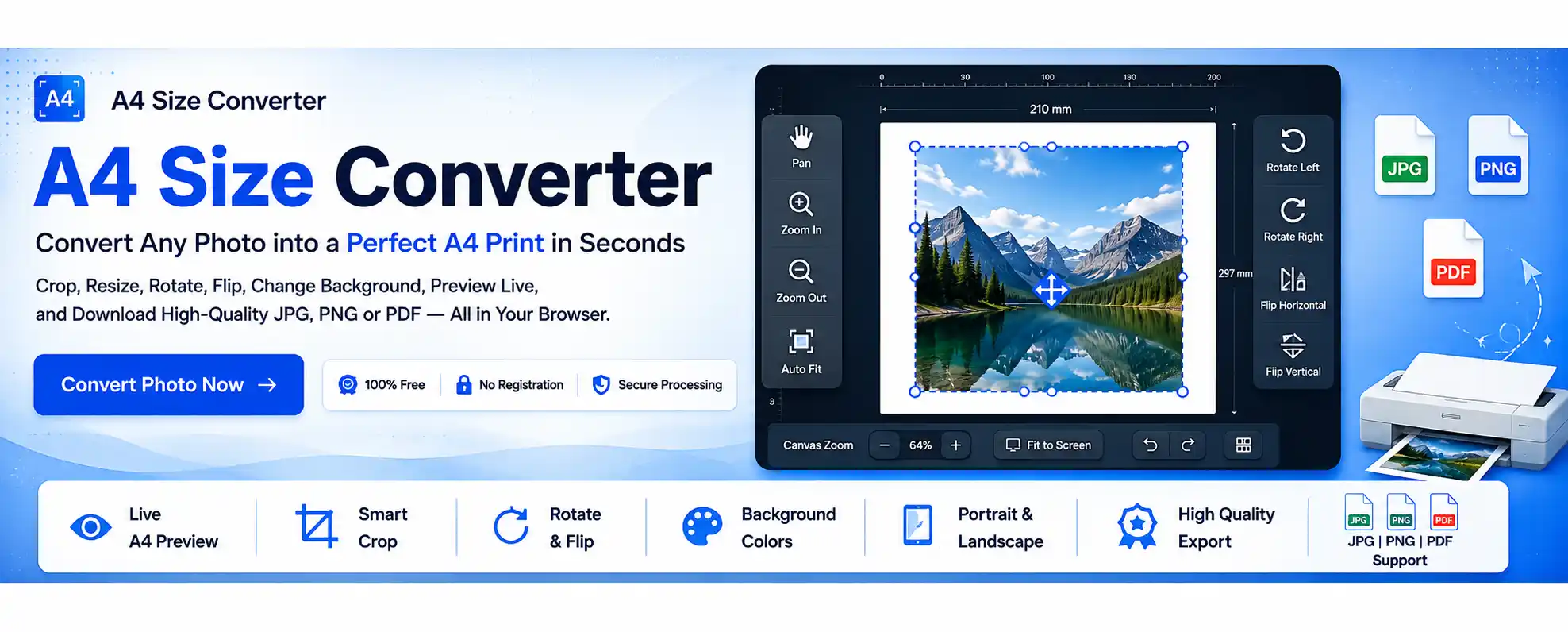
Free A4 Size Converter – a simple, browser‑based tool to prepare any photo for A4 printing. Whether you're a student, teacher, photographer, or professional, this tool helps you convert photos to A4 size with precise control over cropping, rotation, background, and layout. No software installation, no registration, and your files stay private.
Printing photos on A4 paper shouldn't require expensive software or complicated editing tools. Our tool is built specifically for A4 printing – upload, adjust inside the A4 frame, preview live, and download a print‑ready image in JPG, PNG, or PDF.
Understanding A4 Paper Size & Recommended Resolution
An A4 sheet follows the international ISO 216 standard – 210 × 297 mm (21 × 29.7 cm, 8.27 × 11.69 inches). Choosing the correct dimensions ensures your photo prints without cropping or stretching.
| Unit | Size |
|---|---|
| Millimeters | 210 × 297 mm |
| Centimeters | 21 × 29.7 cm |
| Inches | 8.27 × 11.69 inches |
| Aspect Ratio | 1 : √2 (1 : 1.414) |
For high‑quality printing, a resolution of 300 DPI is recommended. Below are common print resolutions:
| Print Quality | Resolution |
|---|---|
| Draft | 150 DPI |
| Standard | 200 DPI |
| High Quality | 300 DPI |
| Professional Print | 600 DPI |
📄 For official information about the international A4 paper standard, refer to the ISO 216 paper size standard.
How to Convert a Photo to A4 Size – Step by Step
- Upload your image (drag & drop or browse).
- Crop, reposition, zoom in/out to fit your subject.
- Rotate or flip if needed (left, right, horizontal, vertical).
- Choose a background color (white, blue, gray, transparent, or custom).
- Select Portrait or Landscape orientation.
- Preview the final A4 layout in real time.
- Download as JPG, PNG, or PDF.
The entire process usually takes less than a minute. No registration, no watermarks.
⚙️ Key Features
- Smart crop & image positioning
- Rotate Left/Right, Flip Horizontal/Vertical
- Change background color (white, blue, gray, transparent, custom)
- Portrait & Landscape support
- Adjust margins & borders for precise fit
- Export as JPG, PNG, or PDF with quality control
👥 Who Can Use This Tool?
- Students printing assignments and project images
- Teachers creating classroom materials
- Office professionals preparing reports & presentations
- Photographers printing client photos
- Artists & designers creating printable artwork
- Home users printing personal memories
- Small businesses producing promotional materials
🏆 Why Choose Our A4 Size Converter?
- No registration required
- Completely free to use
- Browser‑based processing – no uploads to servers
- Privacy‑friendly – images stay on your device
- Live A4 preview
- Easy editing controls
- Multiple download formats
- Responsive on desktop and mobile
💡 Key Benefits
- Exact A4 dimensions (210×297 mm)
- High‑quality output (preserves image quality)
- Instant processing – no waiting
- Supports JPG, JPEG, PNG, WebP uploads
- Download in JPG, PNG, or PDF
❌ Common Mistakes to Avoid
- Uploading very low‑resolution images
- Stretching photos beyond original proportions
- Ignoring portrait/landscape orientation
- Printing without checking the live preview
- Using the wrong output format for your purpose
- Leaving important content too close to page edges
✨ Tips for Better A4 Prints
- Use high‑resolution images (300 DPI recommended)
- Keep the original aspect ratio – avoid stretching
- Always preview before downloading
- Choose correct orientation (portrait/landscape)
- Export in JPG for general printing, PNG for quality, PDF for documents
🔒 Safe & Secure Image Processing
This A4 Size Converter works entirely in your browser. Images are not uploaded to any external server, ensuring your privacy and security. Perfect for sensitive or personal photos.
📄 Where Can You Use an A4 Size Photo?
- School & college projects (charts, covers, diagrams)
- Office documents (reports, presentations, manuals)
- Photo printing (family albums, framed memories)
- Certificates & awards (achievement, participation)
- Business & marketing (flyers, product sheets, price lists)
Frequently Asked Questions (FAQs)
An A4 Size Converter is an online tool that helps you resize, crop, and prepare images to fit perfectly on an A4 sheet for printing.
Yes, the tool is completely free to use without registration.
You can upload JPG, JPEG, PNG, and WebP images and download them as JPG, PNG, or PDF.
Yes. The tool allows you to crop, zoom, reposition, rotate, and flip your image before exporting.
Yes. You can switch between portrait and landscape orientation at any time.
Yes. You can choose from multiple background colors, including white, blue, gray, transparent, or a custom color.
The standard A4 paper size is 210 × 297 mm (21 × 29.7 cm or 8.27 × 11.69 inches).
Yes. The A4 Size Converter is fully responsive and works on desktop, tablet, and mobile devices.
No. The tool preserves image quality during editing. Start with a high‑resolution image for best results.
Absolutely. The tool includes Rotate Left/Right, Flip Horizontal, and Flip Vertical.
Yes. Your image is processed locally in your browser and not stored on any server.
For high‑quality printing, 300 DPI is recommended for sharp, clear prints.
No. Everything works directly in your browser – no installation required.
You can download your final image as JPG, PNG, or PDF.
Students, teachers, office professionals, photographers, designers, small businesses – anyone who needs to prepare images for A4 printing.
Ready to Prepare Your A4 Prints?
Preparing images for A4 printing doesn't have to be complicated. Whether you're printing photographs, certificates, assignments, office documents, marketing materials, or creative projects, our A4 Size Converter provides a fast and reliable way to create print‑ready A4 images.
Why users love this tool:
✓ Crop · ✓ Zoom · ✓ Rotate · ✓ Flip · ✓ Backgrounds · ✓ Multiple formats · ✓ Live preview
Convert any photo to A4 size online free – no software, no registration, and your images stay private. Get perfect A4 prints every time.